Brand Assets
Logo Downloads
SVG format — scales perfectly to any size. Right-click any preview to save, or use the Download button.
Landscape
560 × 160 px · Best for email headers, banners, presentations

Portrait
320 × 360 px · Best for social media, profile photos, flyers
Marketing Creatives
Video Explainer Slides
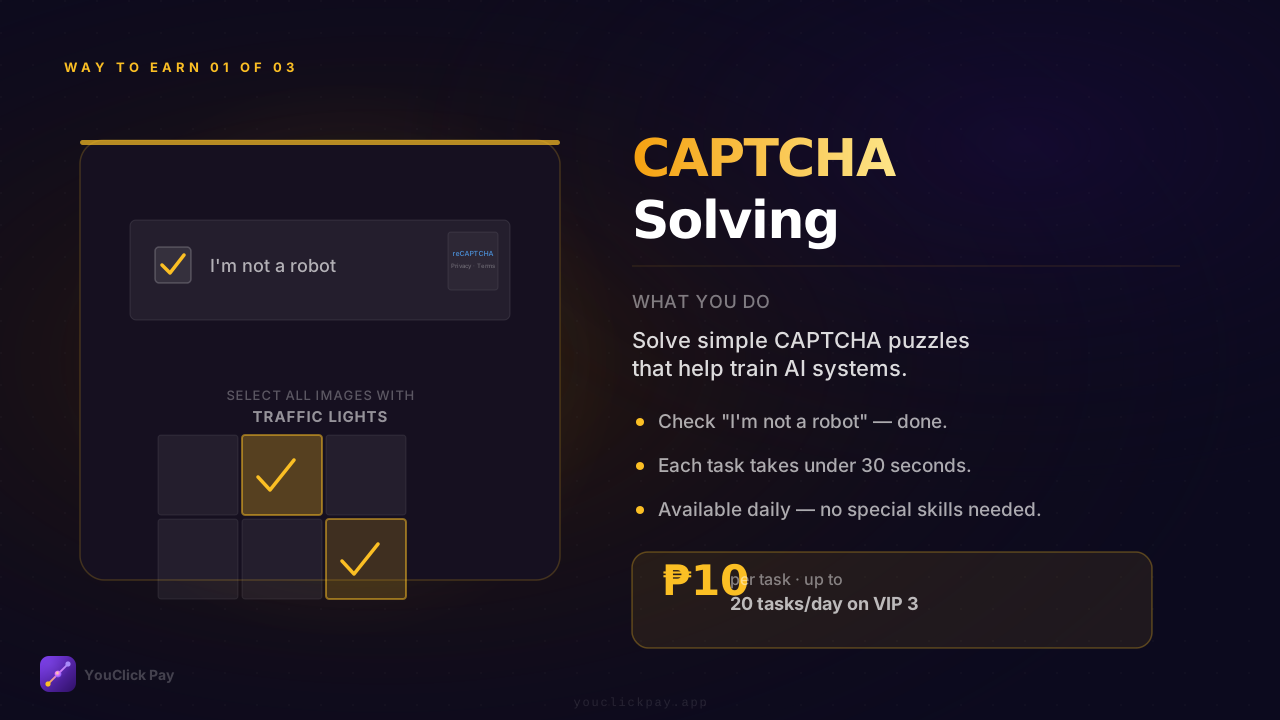
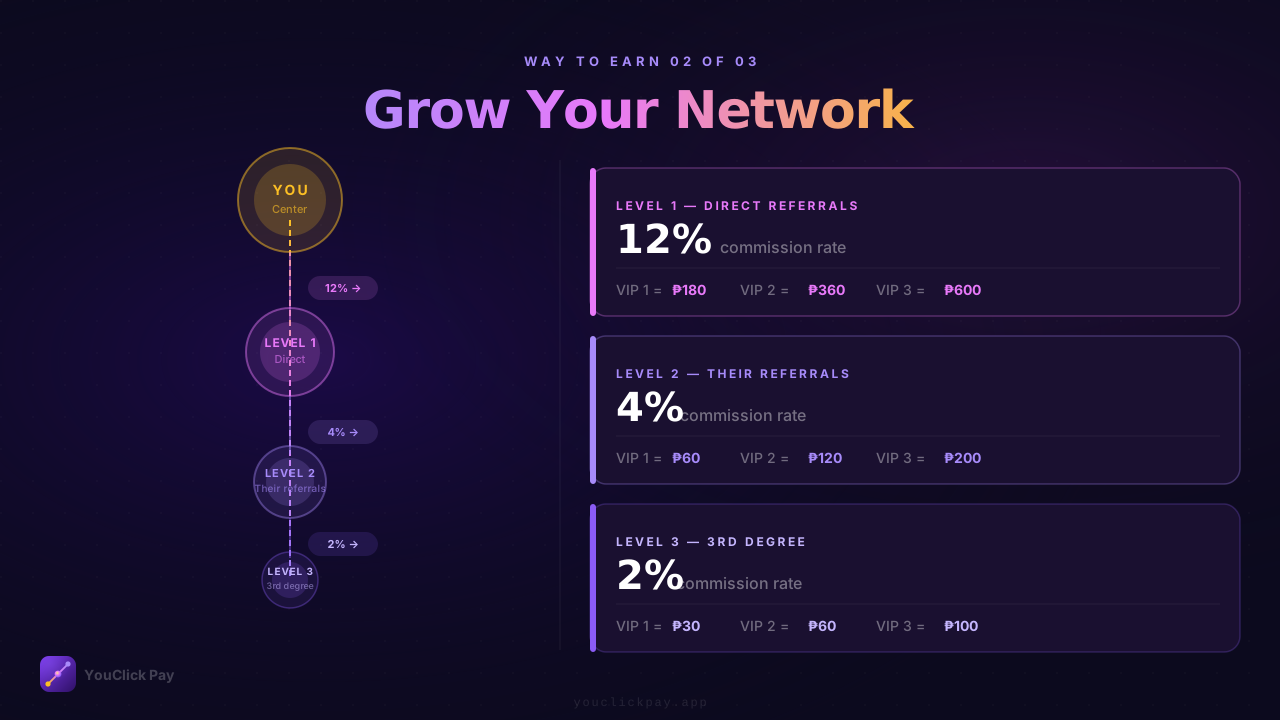
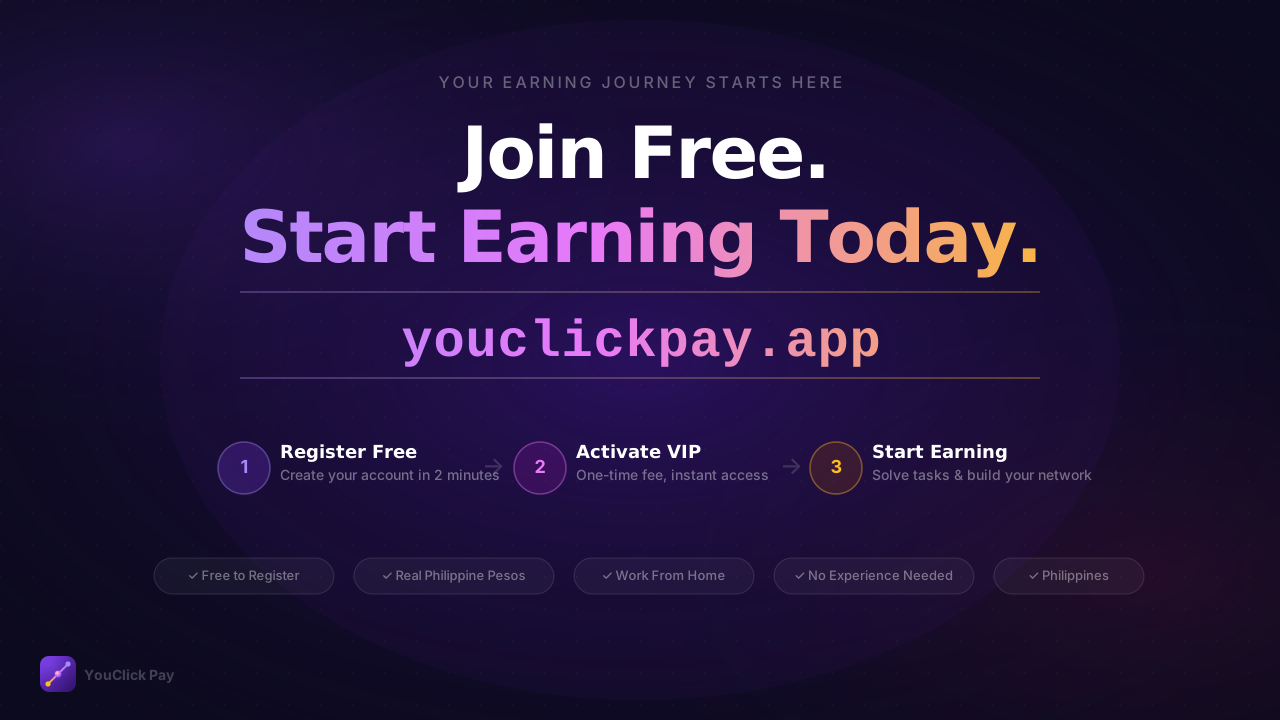
1280 × 720 px HD slides — designed for HeyGen, Canva, or any video editor.

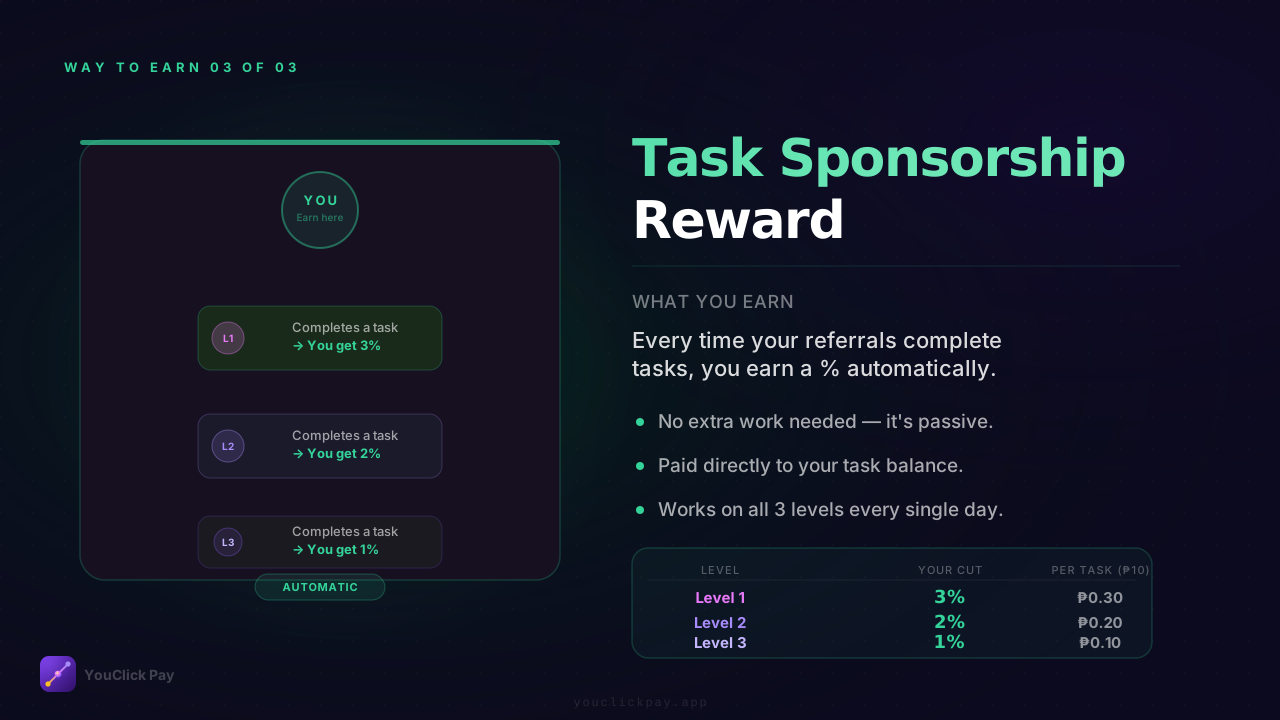
04 — Task Sponsorship Reward
Way to earn 3 of 3 · Task commissions · 3% · 2% · 1% per task
Download SVG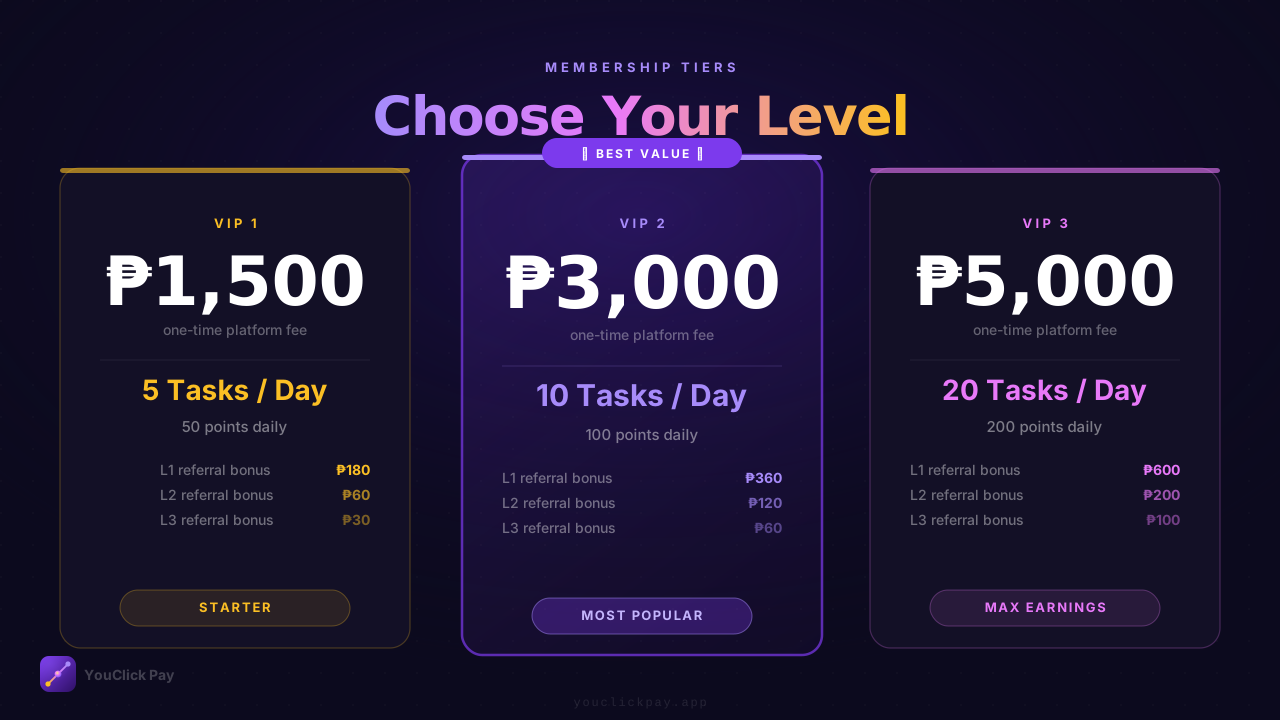
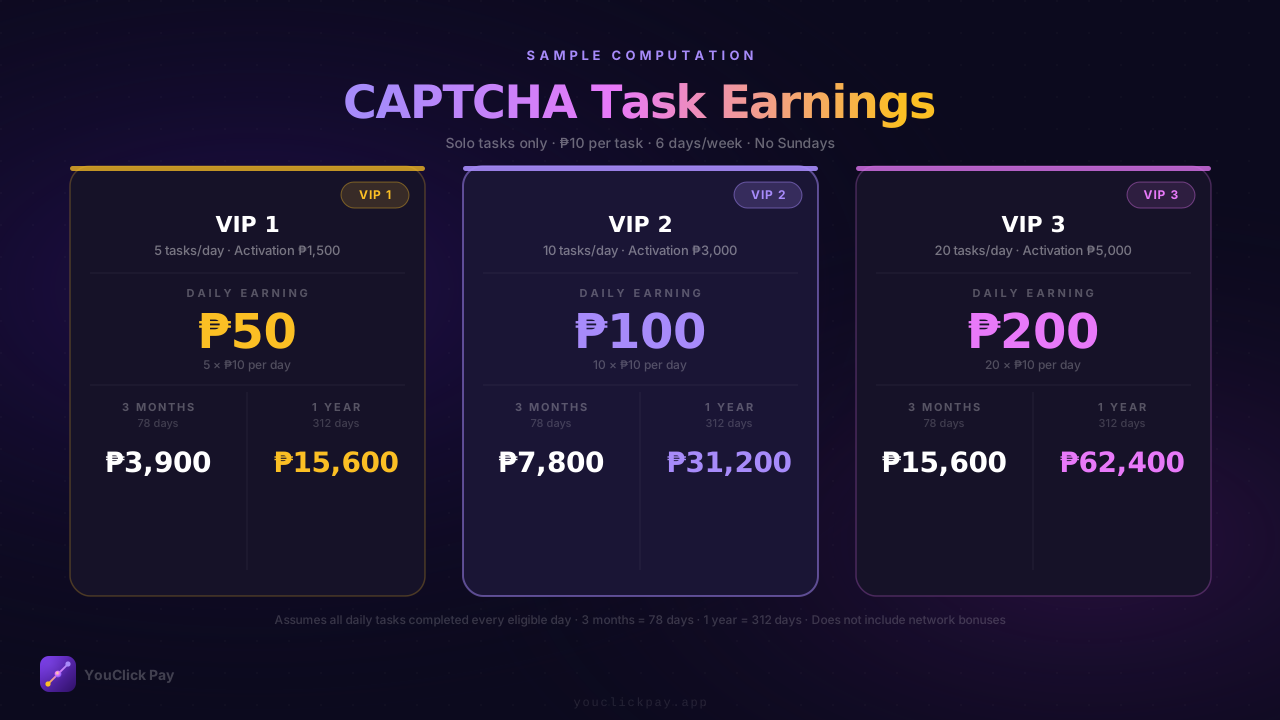
08 — CAPTCHA Task Earnings
Sample computation · VIP 1/2/3 daily, 3-month, 1-year solo earnings
Download SVG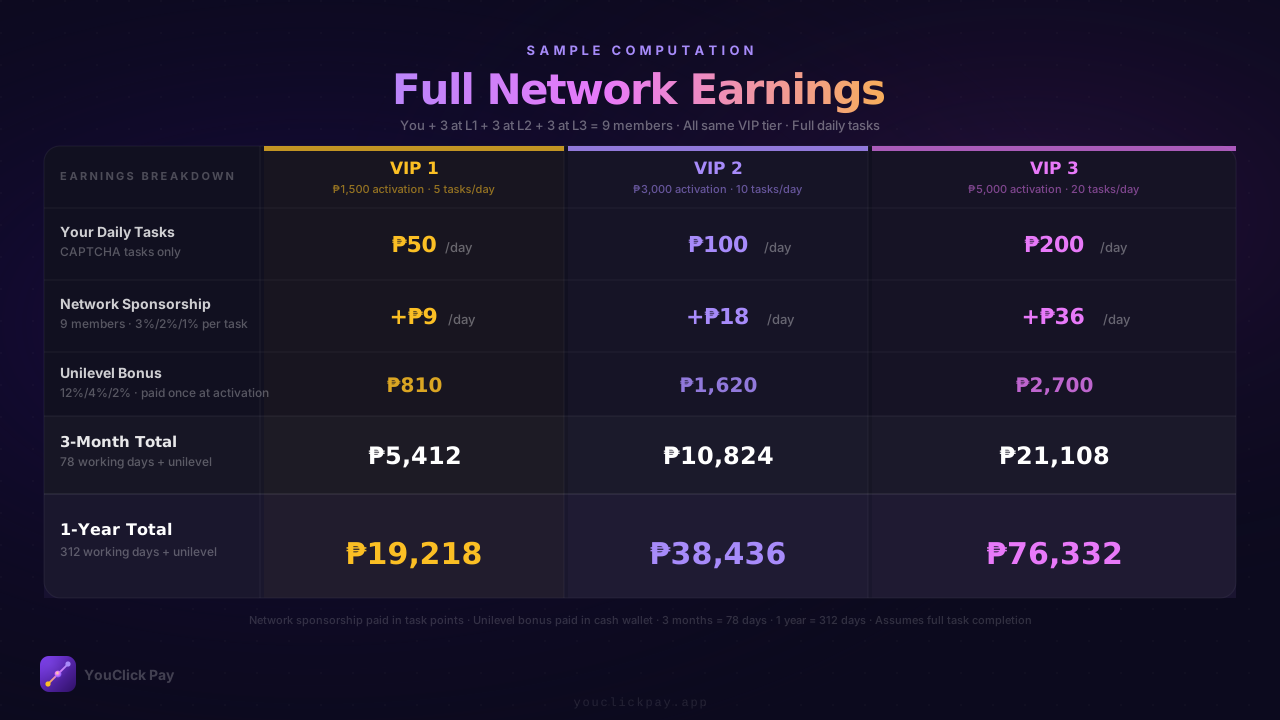
09 — Full Network Earnings
Sample computation · 9-member 3-level team · 3-month and 1-year totals
Download SVG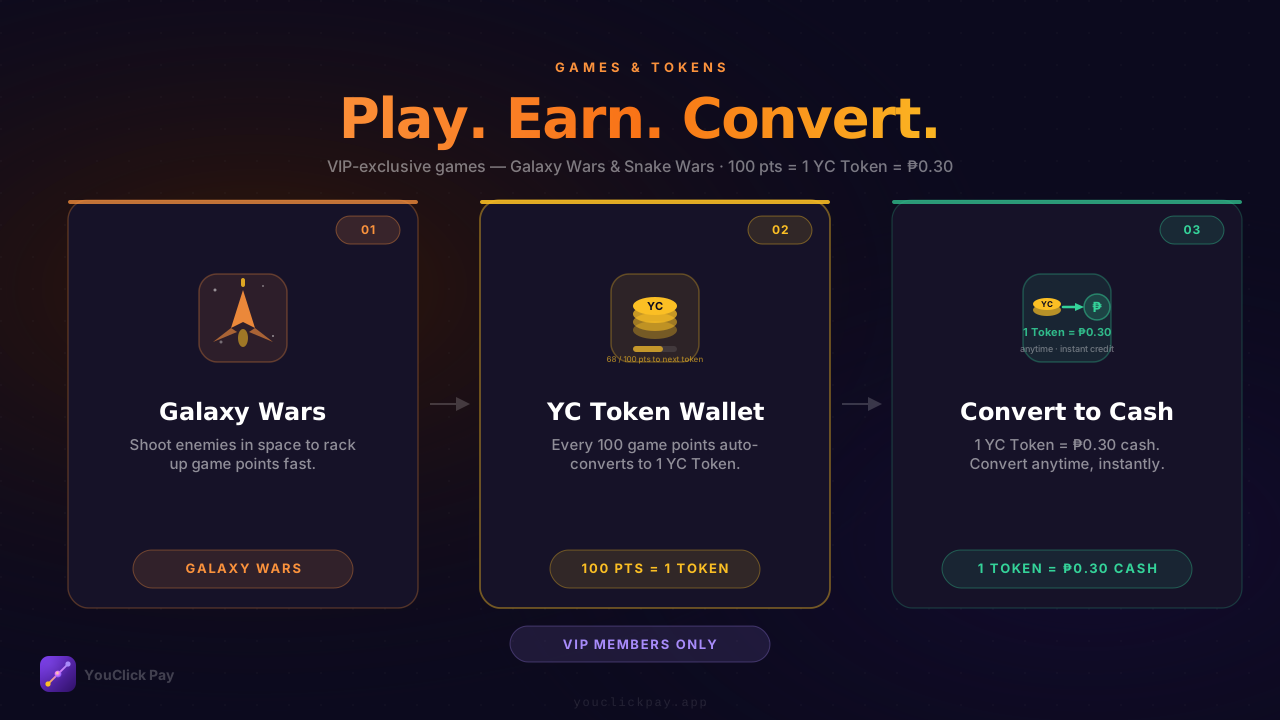
10 — Games & YC Tokens
Play & earn slide · Galaxy Wars · Snake Wars · 100 pts = 1 Token = ₱0.30 cash
Download SVGInteractive Demo
CAPTCHA Task Walkthrough
Animated 8-step demo of the full task flow — open it, screen-record, and use in HeyGen or any video editor.
Usage notes
- SVG files are vector — they scale to any resolution without quality loss.
- To convert to PNG, open the SVG in a browser → right-click → Save image as.
- Do not alter the logo colors or proportions when using in marketing materials.
- Always use the logo on a dark background for best results.